

Payment redirection scams were the third-highest cause of reported scam losses in Australia in 2024, according to the National Anti-Scam Centre's Targeting Scams report. The attack pattern is remarkably simple: a fraudster changes a supplier's bank account details in your accounting system, and your next legitimate payment goes straight to their account.
For the more than 4.6 million businesses using Xero worldwide, this raises an uncomfortable question: what actually happens when someone changes a supplier's bank details, and would you know about it?
Bank detail monitoring works best when the supplier list itself is clean. If you have old, duplicate, or suspicious contacts, use this ghost supplier cleanup guide alongside your bank change review.
For most Xero users, the honest answer is no. Not until it is too late.
In this article:
- What Happens When Supplier Bank Details Change in Xero
- Why the Default Audit Trail Is Not Enough
- Five Signs of Unauthorised Supplier Bank Detail Changes
- How to Close the Gap: A Practical Framework
- The Compliance Dimension
- What Good Looks Like
- Taking the First Step
What Happens When Supplier Bank Details Change in Xero
Xero makes updating supplier bank details straightforward. Any user with the appropriate permissions can navigate to a contact record, edit the bank account number and BSB, and save. The change takes effect immediately.
Here is what Xero does — and does not — do when this happens.
What Xero records
Xero logs the change in its History & Notes section for the contact. If you open the supplier record and scroll to the activity log, you will see an entry that reads something like "Bank account number changed" along with the date, time, and the user who made the change.
For organisations with an accounting advisor attached, Xero also surfaces bank detail changes in the Assurance Dashboard — a tool designed for accountants and bookkeepers to monitor activity across client organisations.
What Xero does not do
Here is where the gap becomes a problem.
No real-time alert to administrators. Xero sends a notification about bank detail changes, but it goes to the person who made the change — not to the finance manager, not to the business owner, and not to a security team. This is the equivalent of asking a fox to report on its own visits to the henhouse.
Xero users have been requesting the ability to send bank detail change notifications to all users or nominated administrators since at least 2021. As of 2026, this feature request remains open on Xero's product ideas forum, with hundreds of votes and comments from frustrated accountants and bookkeepers.
No approval workflow. When a bank detail changes, there is no built-in mechanism to pause, flag, or require a second person to verify the change before it takes effect. The change is live the moment it is saved.
No granular permissions for bank details. Xero does not currently allow you to restrict editing of bank details separately from other contact information. If a user can edit a supplier's address or email, they can also edit the bank account number. You cannot lock down bank details while leaving other fields editable.
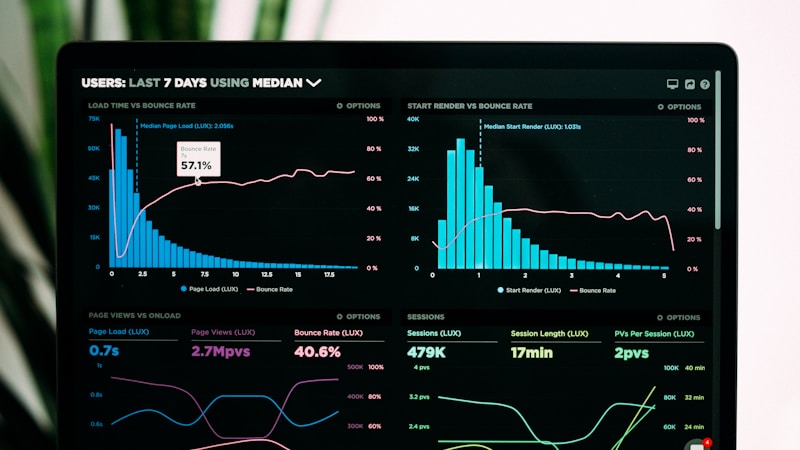
The Assurance Dashboard is retrospective. While the Assurance Dashboard can show you which contacts have had bank detail changes, it is a review tool — not a monitoring tool. It requires someone to actively log in, navigate to the dashboard, and manually check for changes. If your accountant reviews it monthly, a fraudulent change made on the first of the month could sit undetected for weeks.
Why the Default Audit Trail Is Not Enough
The gap between what Xero records and what Xero alerts you to is where fraud thrives. Consider a realistic scenario.
A bookkeeper receives what appears to be a legitimate email from a supplier, advising that their banking details have changed due to a restructure. The bookkeeper opens Xero, navigates to the contact record, and updates the BSB and account number. The whole process takes less than thirty seconds.
Xero logs the change. But nobody else in the organisation is notified. There is no pop-up asking "Are you sure?" No second person is prompted to verify the change against a known phone number for the supplier. No flag appears on the next payment run.
Three days later, accounts payable processes a $47,000 payment to the supplier. The money goes to the fraudster's account. The real supplier calls two weeks later asking where their payment is.
By the time anyone thinks to check Xero's History & Notes, the money has been withdrawn and moved offshore.
This is not a hypothetical. Payment redirection scams followed exactly this pattern in thousands of cases reported to the ACCC in 2024. The National Anti-Scam Centre reported that small businesses alone lost $13.1 million to scams in 2024 — and business email compromise was consistently among the top scam types.
The Assurance Dashboard problem
Xero's Assurance Dashboard is a useful tool for accountants reviewing client books, but it has significant limitations for fraud prevention.
It is advisor-only. The Assurance Dashboard is available to accounting advisors connected to an organisation, not to business owners or internal finance teams directly. If your business does not have an external accountant connected through Xero Practice Manager, you may not have access to it at all.
It requires manual review. There are no automated alerts triggered from the Assurance Dashboard. Someone has to log in, check the dashboard, and review the list of changes. For a firm managing dozens of client organisations, checking each one daily is not realistic.
It does not show the previous bank details. When the dashboard flags a bank detail change, it shows that a change occurred — but comparing the old and new details requires additional investigation. In a time-critical fraud scenario, this friction costs valuable hours.
It was not designed for fraud prevention. The Assurance Dashboard was built to help accountants maintain the integrity of client books — catching accidental errors, reviewing user activity, and ensuring data quality. Fraud detection is a different problem that requires real-time monitoring, not periodic review.
Five Signs of Unauthorised Supplier Bank Detail Changes
Knowing what to look for can help you catch fraudulent changes before a payment goes out. Here are the patterns that should trigger immediate investigation.
1. Changes made outside business hours
If a supplier's bank details were updated at 2:00 AM on a Saturday, that warrants scrutiny. Legitimate updates typically happen during business hours as part of normal accounts payable operations.
2. Changes made by unexpected users
If a junior staff member who does not normally interact with supplier records suddenly updates bank details for a high-value supplier, that is a red flag — whether the change is fraudulent or simply unauthorised.
3. Multiple bank detail changes in a short period
A supplier whose bank details change twice in a month should be investigated. Legitimate businesses rarely change their banking arrangements more than once a year, if that.
4. Changes to high-value or high-frequency suppliers
Fraudsters target the suppliers you pay the most, because a single redirected payment yields the highest return. Any bank detail change on a supplier where payments exceed $10,000 per month should require mandatory verification.
5. Changes that coincide with a payment run
If bank details are updated on the same day or day before a batch payment is processed, the timing may not be coincidental. This pattern is common in payment redirect fraud attacks where the fraudster knows your payment cycle.
How to Close the Gap: A Practical Framework
Relying on Xero's built-in tools alone leaves your organisation exposed. Here is a practical framework that works for Australian SMBs without requiring enterprise-level security budgets.
Step 1: Restrict user permissions
Start with the basics. Review who has permission to edit contact records in Xero and reduce that list to the minimum number of people required. While Xero does not offer granular control over bank detail fields specifically, limiting overall contact editing rights reduces your exposure.
Document who has access and review it quarterly. Remove access for anyone who does not need it.
Step 2: Implement a callback verification process
Write down a formal process — even if it is a single page — that requires out-of-band verification for any supplier bank detail change. This means calling the supplier on a phone number you already have on file (not a number from the email requesting the change) to confirm the new details.
If your team needs a practical script and evidence checklist, use this guide to verifying supplier bank details before payment as the operating procedure.
Post this process where your finance team can see it. Review it in team meetings. Make it a habit, not a suggestion.

Step 3: Separate duties
The person who updates bank details in Xero should not be the same person who approves payments to that supplier. If your team is too small for full separation, at minimum require a second person to review bank detail changes before the next payment is processed.
Step 4: Set up automated monitoring
This is where the gap between Xero's capabilities and what your business needs becomes most apparent. Manual checks — calendar reminders to review the Assurance Dashboard, spreadsheets tracking supplier details — work in theory but fail in practice. People forget. People get busy. People go on leave.
Automated monitoring tools connect to Xero's API and watch for supplier bank detail changes in real time. When a change occurs, the relevant people are notified immediately — not the person who made the change, but the finance manager, the business owner, or whoever you designate.
OutflowGuard, for example, monitors your Xero organisation with read-only API access and sends instant alerts via Slack, Microsoft Teams, or email when supplier bank details change. Changes trigger a dual-approval workflow where two people must verify before the change is accepted, creating an audit trail that satisfies both internal governance and external compliance requirements.
Step 5: Conduct periodic supplier audits
At least quarterly, run a review of your supplier records looking for:
- Ghost suppliers — contacts with bank details but no invoice history
- Duplicate entries — multiple contacts for the same supplier (a common setup for fraudulent payments)
- Round-number invoices — a pattern often associated with fictitious billing
- Recently changed bank details — cross-reference against your verification log
These audits catch problems that real-time monitoring might miss, such as dormant fraud that was set up months ago and has not yet been triggered.
The Compliance Dimension
Australia's regulatory landscape is tightening around scam prevention. The Scams Prevention Framework introduces obligations for businesses to demonstrate they have taken reasonable steps to prevent payment fraud.
For finance teams, this means that "we didn't know the bank details had changed" is no longer an acceptable explanation. Regulators and insurers increasingly expect documented controls, audit trails, and evidence of proactive monitoring.
If your business processes supplier payments through Xero, you need to be able to answer these questions:
- Who changed the bank details?
- When was the change made?
- Was the change verified independently?
- Who approved the change?
- Is there a documented record of the verification?
Xero's History & Notes can partially answer the first two questions. The rest require processes and tools that sit outside Xero's native capabilities.
What Good Looks Like
An Australian SMB with effective supplier bank detail monitoring has these elements in place:
- Restricted Xero permissions — only designated finance staff can edit contact bank details
- Written verification policy — a documented callback procedure for any bank detail change
- Automated alerts — real-time notification when bank details change, sent to the right people
- Dual approval — two people must verify before a change is accepted
- Audit trail — a log of who changed what, when, and who verified it
- Periodic review — quarterly supplier audits for anomalies
None of this requires a large IT budget or a dedicated security team. It requires recognising that Xero's default audit trail was not designed for fraud prevention and filling the gaps with processes and, where appropriate, automated tools.
Related Reading
- Business Email Compromise in Australia: Statistics and Prevention for 2026 — the latest BEC statistics and why these attacks are accelerating.
- What Is Payment Redirect Fraud? A Guide for Australian Businesses — a broader look at how payment redirect fraud works and how to protect your accounts payable process.
Taking the First Step
If you are unsure whether your Xero organisation has supplier bank detail changes that you did not know about, start with a simple exercise. Open Xero, navigate to Accounting > Reports > History & Notes, filter by Type "Contact," and search for "Bank account number." Review the results.
If you find changes you were not aware of, you have your answer: your current process is not catching everything.
For businesses that want to move beyond manual checks, OutflowGuard's free tier includes a quarterly health check that scans your Xero organisation for ghost suppliers, duplicate bills, and round-number invoices. It is a zero-risk way to understand your current exposure before committing to ongoing monitoring.
The goal is not to add complexity to your finance operations. It is to ensure that the thirty seconds it takes to change a supplier's bank details in Xero are followed by the right people being told, the right questions being asked, and the right approvals being given — every single time.